
Back to BlogCRM Automation Agency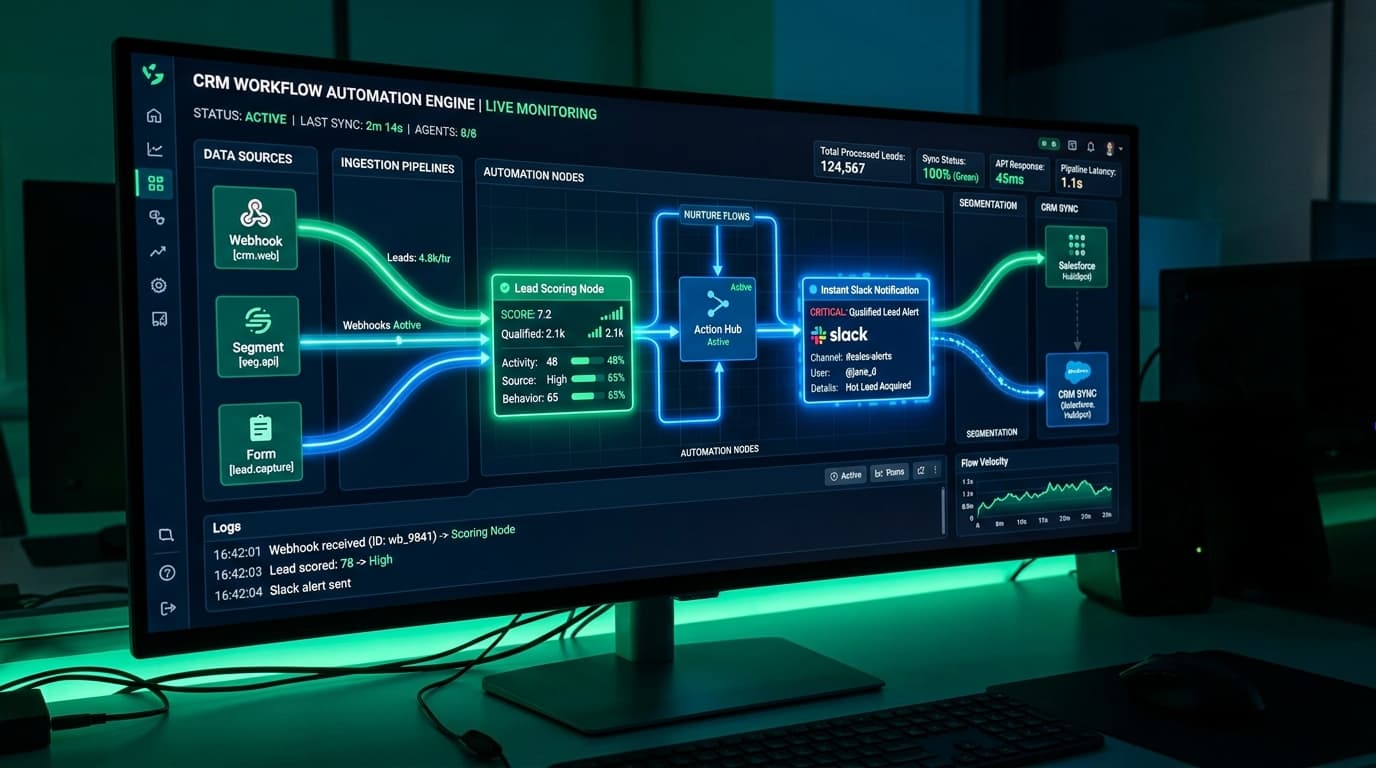
Case Study: Engineering an Autonomous CRM & Lead Pipeline Automation Engine for a B2B SaaS
Pennom Engineering October 17, 2026 15 views
<h2>The Growth Bottleneck: Fast Leads, Slow Human Response</h2>
<p>Lead decay is lethal in modern B2B software sales. Research shows that responding to an inbound enterprise lead within 5 minutes increases conversion odds by <strong>21x</strong> compared to responding within 30 minutes. Yet most growing SaaS companies rely on manual CRM entry, fragmented spreadsheets, and delayed email notifications.</p>
<p>A B2B enterprise software provider generating 600 monthly demo requests across North America was losing deals to competitors simply because their sales development representatives (SDRs) took an average of 6 hours to qualify and route incoming leads.</p>
<h2>The Pennom Solution: Zero-Latency Autonomous Pipeline</h2>
<p>Pennom engineered a custom, event-driven automation architecture connecting their Next.js web application, HubSpot CRM, Clearbit enrichment API, and internal Slack operations channels:</p>
<h3>1. Webhook Ingestion & Sub-Second Data Enrichment</h3>
<p>When an enterprise buyer submits a demo request form on the website, a serverless webhook instantly queries enrichment endpoints, appending company size, annual revenue, tech stack, and LinkedIn profile data in <strong>180 milliseconds</strong>.</p>
<h3>2. Automated Lead Scoring & Smart Routing</h3>
<p>Leads with over 100 employees and verified corporate domains are automatically categorized as Tier-1 Enterprise, instantly assigning them to the dedicated account executive based on geography and industry.</p>
<h3>3. Interactive Slack Command Center</h3>
<p>Rather than sending static email notifications, Pennom's custom Slack bot triggers an interactive card in the sales channel. Account executives can click <em>"Accept & Call"</em>, <em>"Schedule Demo"</em>, or <em>"Send One-Click Calendar"</em> directly from their mobile phones.</p>
<h2>Measurable Velocity Gains</h2>
<p>The transformation in sales velocity was immediate:</p>
<table style="width:100%; border-collapse:collapse; margin: 20px 0;">
<thead>
<tr style="border-bottom: 2px solid #0284c7; text-align: left;">
<th style="padding: 10px;">Pipeline Metric</th>
<th style="padding: 10px;">Manual Process</th>
<th style="padding: 10px;">Pennom Automated Engine</th>
</tr>
</thead>
<tbody>
<tr style="border-bottom: 1px solid #334155;">
<td style="padding: 10px;">Average Lead Response Time</td>
<td style="padding: 10px; color: #ef4444;">6 hours 15 mins</td>
<td style="padding: 10px; color: #10b981; font-weight: bold;">2 mins 45 secs</td>
</tr>
<tr style="border-bottom: 1px solid #334155;">
<td style="padding: 10px;">Demo Show-Up Rate</td>
<td style="padding: 10px;">52%</td>
<td style="padding: 10px; color: #10b981; font-weight: bold;">88%</td>
</tr>
<tr style="border-bottom: 1px solid #334155;">
<td style="padding: 10px;">Sales Cycle Length (Inbound to Close)</td>
<td style="padding: 10px;">19.4 days</td>
<td style="padding: 10px; color: #10b981; font-weight: bold;">4.5 days</td>
</tr>
<tr style="border-bottom: 1px solid #334155;">
<td style="padding: 10px;">Weekly Engineering Hours Saved</td>
<td style="padding: 10px;">0</td>
<td style="padding: 10px; color: #10b981; font-weight: bold;">22 hours / week</td>
</tr>
</tbody>
</table>
<blockquote>
"Pennom’s CRM automation eliminated our manual busywork overnight. Our reps are closing deals faster than ever because we talk to prospects while their interest is at its absolute peak."
<br><strong>— VP of Sales, Enterprise SaaS Solutions</strong>
</blockquote>
CRM Automation AgencyMarketing AutomationWorkflow AutomationAPI Integrations